
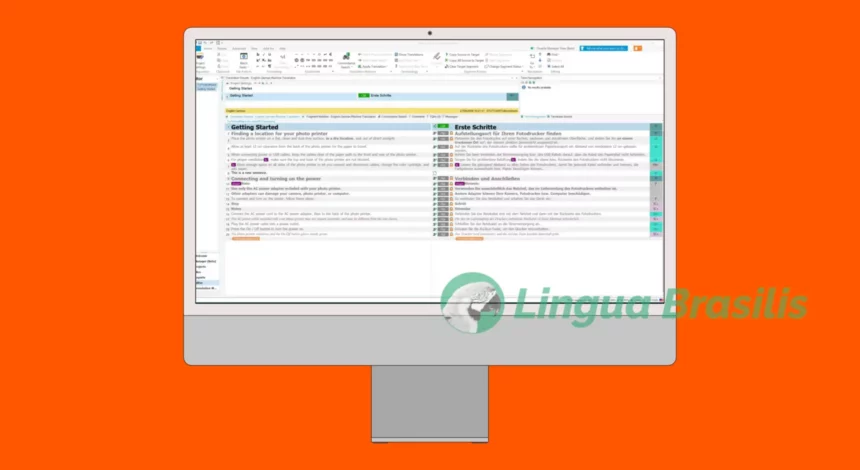
On 10 November 2018 I was once again in Munich and attended an advanced workshop SDL Trados Studio 2017/2019, the leading translation software. Trados, as it’s often called in short, is a highly complex programme for computer-aided translation (CAT) and is used by professional translators to perform tasks such as ensuring consistency of specialised terms and verifying translation quality with the help of automated processes.
The programme generates so-called translation memories, i.e. databases storing source-language text segments (mostly sentences) together with their translations into the target language. It’s also possible to integrate and manage multilingual glossaries (term banks). With time, a professional translator can build a huge library of translated content with the programme and access that information at any time in the future.
I learned the advantages of programmes like this relatively early in my career as a translator and have been a user of CAT tools since 2002. The first time I used Trados was around 2005. Even as a long-time user, I wanted to broaden and improve my knowledge of the programme’s functionalities, and the workshop was the perfect opportunity for that.
The workshop was organised by the German Federal Association of Translators and Interpreters (BDÜ). It was presented by Annette Hunger and Manfred Altmann, who are both practising translators. Ms. Hunger and Mr. Altmann offer outstanding translation seminars with great practical relevance and many tips on increasing productivity. Once again, we weren’t disappointed!
First, the presenters demonstrated workflows within Trados considering different scenarios (such as: standalone documents, projects, with client specifications) and with many practical examples. For instance, they showed us how to create and configure translation memories for each project and language pair.
Always calling our attention to the fact that the programme offers many configuration possibilities that may not be apparent at first look. One part I found especially interesting was the one about project templates, which can save much time and stress. The peculiarities of Studio were also demonstrated in a very detailed manner, such as the AutoPropagate, AutoSuggest and PerfectMatch features.
In the second part of the workshop the filtering feature was discussed in every detail – this is, in my view, the programme’s biggest highlight, as it is very time-saving. Other topics were special file formats and exchanging documents with other translators/proofreaders/clients.
There were numerous tips and tricks to finally master the programme, such as shortcut keys. Attendees were, of course, able to experiment with all functionalities and configurations directly in the seminar room, as everybody brought their own notebook.
After such an intensive workshop, I feel I can work with SDL Trados Studio 2017/2019 in a much more confident and productive way.
Event details
| Type of event | one-day seminar held in German |
| Title | “Vertiefungs-Workshop zum Übersetzungsprogramm SDL Trados Studio 2017” [Advanced workshop on SDL Trados Studio 2017 translation software] |
| Event organiser | German Federal Association of Translators and Interpreters, Bavaria chapter |
| Facilitators / Presenters | Annette Hunger, Manfred Altmann |
| Date | 10 November 2018 |
| Place | Headquarters of BDÜ’s Bavaria chapter • Rottmannstr. 11 • 80333 Munich • Germany |
| Main topics | • Configuring (and managing) translation memories • Increasing productivity with useful functionalities • Personalising the user interface • Quality assurance • Using automation options and filters • Useful apps to extend functionalities • AutoSuggest, AutoPropagate, PerfectMatch • Dealing with special file formats and peculiarities of certain file types |
